
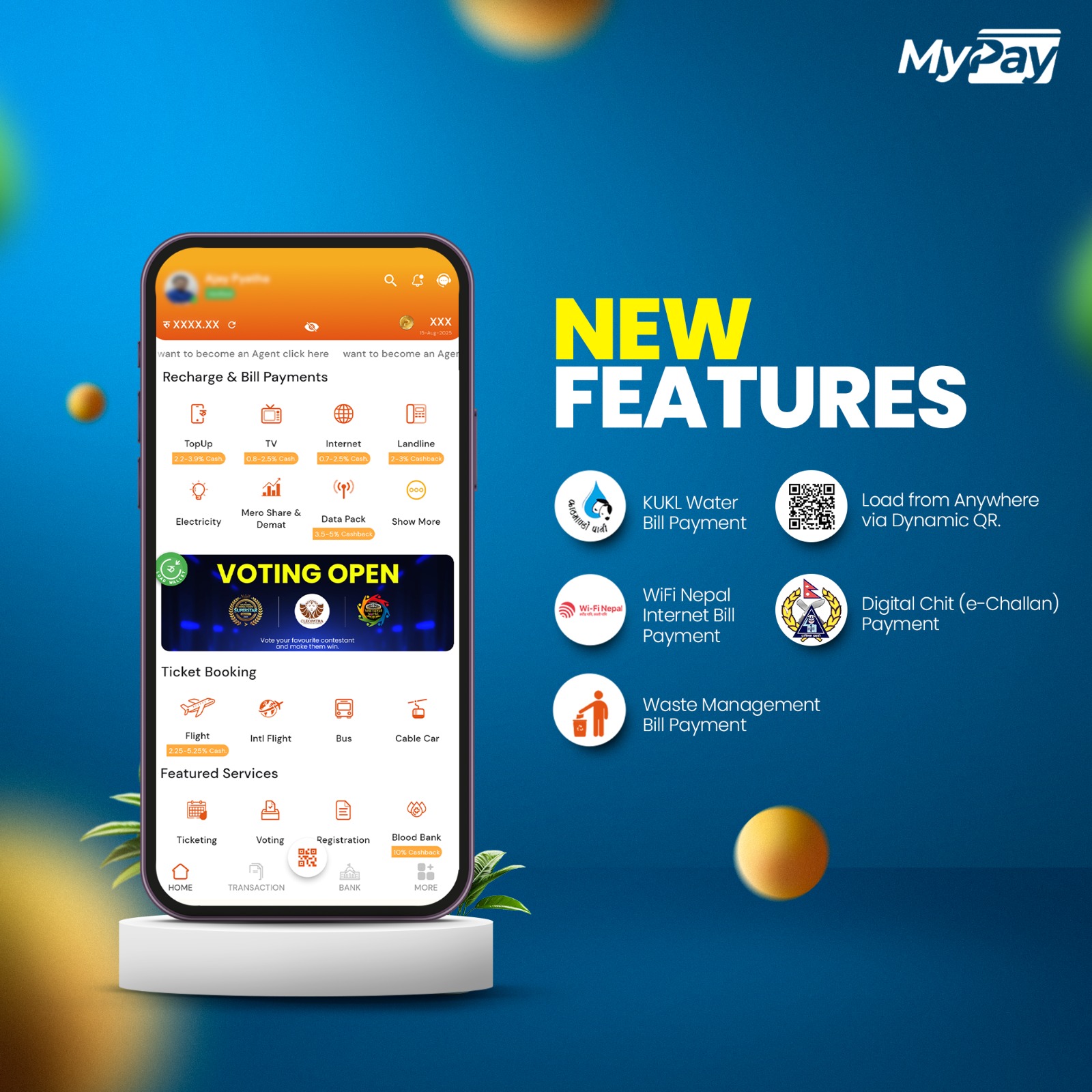
MyPay, one of Nepal’s fastest-growing digital wallets, is once again raising the bar with a fresh set of features. Whether you’re sharing a QR code to receive money or paying your internet and traffic fines right from your phone, these new updates are all about making your life a little easier. With a continued focus on making digital transactions smarter, faster, and more inclusive, let’s take a closer look at what’s new.
1. Dynamic QR Code – Send or Receive with Precision
Ever felt awkward reminding someone how much they owe you? Or worried they might enter the wrong amount while sending you money? With Dynamic QR on MyPay, you can now create a QR code with a fixed, pre-filled amount. So when someone scans it, they don’t need to enter anything—the exact amount appears automatically.
Here’s how to generate your Dynamic QR:
Step 1: Open the MyPay app and tap the “QR” scanner button on your dashboard
Step 2: Click on the “My QR Code” button
Step 3: Below your QR code, tap on the “Generate Dynamic QR” option
Step 4: Enter the exact amount you need to receive
Step 5: And that’s it! Share the generated QR with the person who needs to pay you.
Now receiving the exact amount is just a scan away—quick, clear, and error-free every time.
2. Waste Management Bill Payment
Paying your waste management bills has never been easier. With this new feature, you can now clear your Kathmandu Waste Management bills directly from the MyPay app.
Process: Open MyPay App > Waste Management > Kathmandu Waste Management > Enter Details and pay.
3. WiFi Nepal Internet Bill Payment
If you use WiFi Nepal as your internet service provider, we’ve got great news. You can now pay your WiFi Nepal bills directly from MyPay. Avoid late payments, and manage your monthly bills without logging in to multiple websites.
Process: Open MyPay App > Internet > WiFi Nepal > Enter Username and pay.
4. KUKL Water Bill Payment
Paying for your household’s water supply is now more seamless. Kathmandu Upatyaka Khanepani Limited (KUKL) customers can pay their monthly water bills through MyPay, saving valuable time and energy. No more long queues or paperwork—just log in, enter your customer number, and pay instantly.
Process: Open MyPay App > Khanepani > KUKL > Enter Details and pay.
5. Digital Chit (e-Challan) Payment
An e-Challan is a digital traffic ticket issued by the traffic police when a road rule is violated. It includes all the key details—such as the type of offense, vehicle number, and the fine amount. With MyPay, you can now pay your Digital Chit (e-Challan) directly through the app—making the process quicker, more secure, and entirely digital.
Process: Open MyPay App > Government Services > Digital Chit Traffic Fine, Enter required details and pay your fine easily.
Why Do These Updates Matter?
MyPay isn't just adding features—it's solving everyday problems. From collecting payments faster to paying for essential services on time, these updates show MyPay’s dedication to bringing digital convenience into every Nepali household. Whether you're a student, business owner, parent, traveler or an agent —MyPay is built for you.
Conclusion
If you don’t see these features in your current version of the MyPay app, make sure to update it. And if you’re new here and haven’t downloaded MyPay yet, what are you waiting for? Give it a try and see how much easier daily tasks can be when everything’s in one app. Download MyPay today and make your life a little simpler.